Waterline Query Stages

Kelvin Omereshone
@Dominus_Kelvin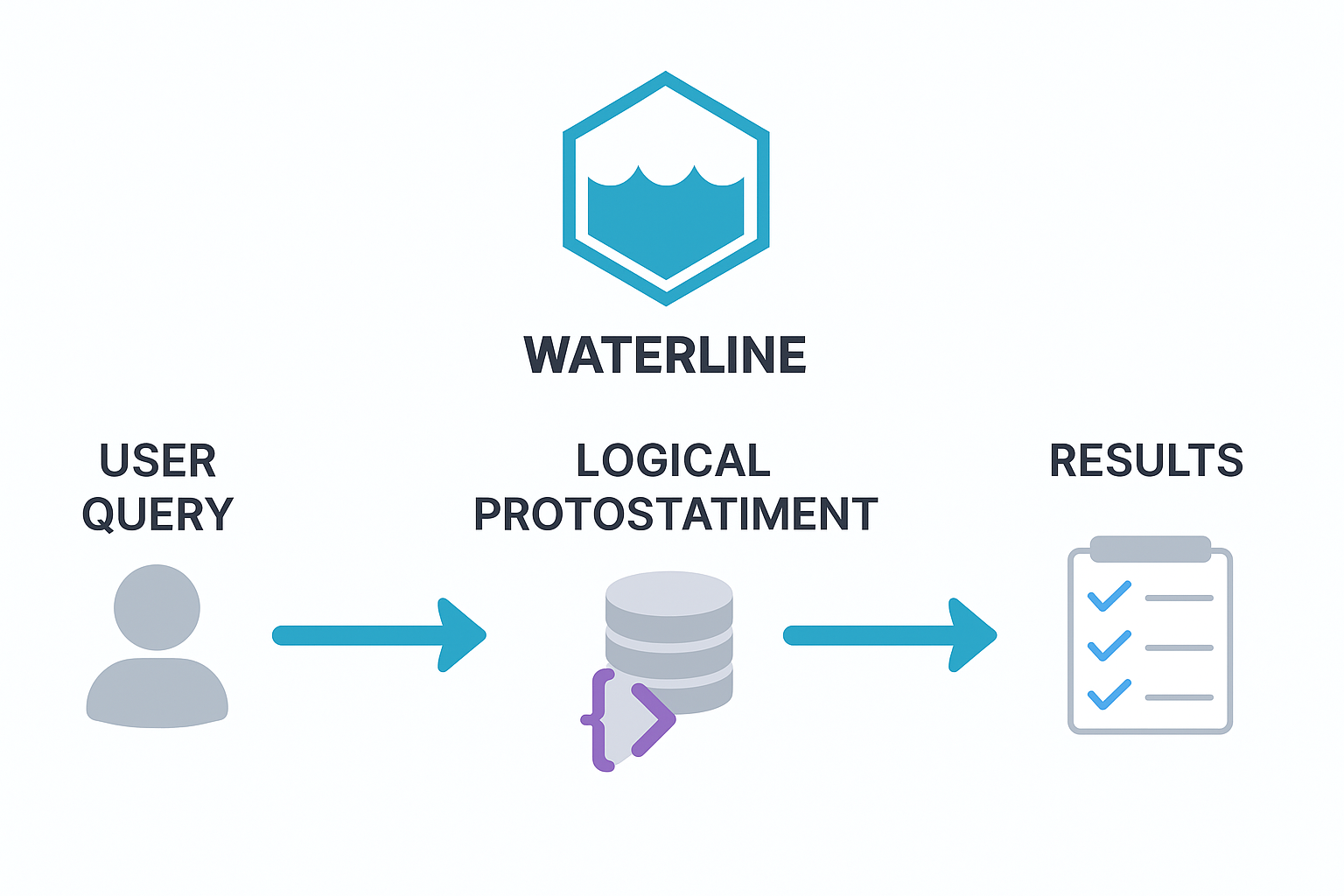
When you call something like:
User.find({ name: 'John' })
  .populate('pets')
  .sort('age DESC')
  .limit(10);
it might feel like Waterline is just handing your query straight over to the database. But that’s not what happens.
Behind the scenes, Waterline runs your query through a three-stage pipeline before it ever touches the adapter. This ensures consistency, validation, and optimization—so the same query works reliably across different databases.
Let’s walk through these three stages.
Stage 1: User Query (Raw Input)
This is the query exactly as you write it in your application code.
Examples:
// Find users named John
User.find({ name: 'John' });

// Create a new pet
Pet.create({ name: 'Fluffy', type: 'cat' });

// Update a user’s age
User.update({ id: 1 }, { age: 30 });
At this stage:
- The query is intuitive and chainable.
- You work with attributes, not column names.
- It’s model-agnostic, meaning the same syntax works across adapters.
But it’s still raw. It needs to be validated and normalized before it’s safe to execute.
Stage 2: Logical Protostatement
This is where forgeStageTwoQuery() comes in. It transforms raw input into a logical protostatement: a normalized, validated version of your query.
In Waterline, a protostatement is an intermediate, structured representation of your query. It’s not yet ready for the database, but it’s been validated, normalized, and made schema-aware—serving as a bridge between your raw input and the final database query.
What happens here?
- Method validation: checks that you’re using a supported method (
find,create, etc.). - Criteria normalization: ensures
where,limit,skip,sort,select,omitare all valid and consistent. - Schema checks: verifies attributes exist on the model.
- Defaults applied: missing criteria are filled in with sensible defaults.
- Special handling:
findOne()is capped atlimit: 2.- Destructive ops (
update,destroy) require explicitwhereclauses.
- Meta processing: applies flags like
skipAllLifecycleCallbacks.
Example: Stage 1 → Stage 2
Raw Input:
User.find({ name: 'John' })
  .populate('pets')
  .sort('age DESC')
  .limit(10);
Stage 2 Protostatement:
{
  method: 'find',
  using: 'user',
  criteria: {
    where: { name: 'John' },
    limit: 10,
    skip: 0,
    sort: [{ age: 'DESC' }],
    select: ['id', 'name', 'age', 'pets']
  },
  populates: {
    pets: {
      where: {},
      limit: 9007199254740991,
      skip: 0,
      sort: [{ id: 'ASC' }],
      select: ['*']
    }
  },
  meta: {}
}
Now the query is normalized and schema-aware.
Stage 3: Physical Query
Once we have a logical protostatement, forgeStageThreeQuery() takes over. Its job: turn the query into something the adapter (and thus the database) can actually understand.
What happens here?
- Attribute → Column mapping:
namebecomesname_column. - Model → Table mapping:
userbecomesuser_table. - Criteria serialization: transforms
whereclauses into column-based criteria. - Join construction: builds physical join definitions for associations.
- Optimization: removes logical-only clauses (like
omit), expandsselect: ['*']into real columns.
Example: Stage 2 → Stage 3
Stage 2 Protostatement:
{
  method: 'find',
  using: 'user',
  criteria: {
    where: { name: 'John' },
    limit: 10,
    sort: [{ age: 'DESC' }]
  }
}
Stage 3 Physical Query:
{
  method: 'find',
  using: 'user_table',
  criteria: {
    where: { name_column: 'John' },
    limit: 10,
    sort: [{ age_column: 'DESC' }],
    select: ['id_column', 'name_column', 'age_column']
  },
  joins: []
}
Now we have a database-ready query to hand off to the adapter.
Post-Processing: Results Coming Back
After the adapter runs the Stage 3 query, Waterline isn’t done. The raw database results need to be transformed back into the format your app expects.
This is where helpers like helpFind() and processAllRecords() step in:
- Unserialize columns: convert
name_columnback intoname. - Merge associations: stitch together populated data.
- Validate results: ensure schema compliance, primary keys, timestamps, etc.
The end result? Clean, validated records that match your model definition.
Why These Stages Matter
Waterline’s query pipeline provides some serious advantages:
- Consistency: You write one query language, it works everywhere.
- Reliability: Invalid queries are caught early.
- Flexibility: Adapters only worry about Stage 3.
- Performance: Queries are optimized before hitting the database.
This staged approach is the secret sauce that lets Waterline support multiple databases with a single API.
Example: Complete Flow
// Stage 1: Raw Input
User.find({ name: 'John' })
  .populate('pets')
  .limit(5);

// Stage 2: Logical Protostatement
{
  method: 'find',
  using: 'user',
  criteria: { where: { name: 'John' }, limit: 5 },
  populates: { pets: { select: ['*'] } }
}

// Stage 3: Physical Query
{
  method: 'find',
  using: 'user_table',
  criteria: { where: { name_column: 'John' }, limit: 5 },
  joins: [/* pets join */]
}

// Post-Processing: Results
[
  { id: 1, name: 'John', pets: [{ id: 10, name: 'Fluffy' }] }
]
Wrapping Up
Every Waterline query goes through three key stages:
- Raw user input
- Logical protostatement
- Physical query
And after execution, results are post-processed back into model-friendly records.
This pipeline is what makes Waterline powerful, consistent, and database-agnostic.